Strategy Templates
Instead of configuring every setting manually, you can start from a pre-built template. Templates come in two types: CPCV-validated presets backed by backtesting data, and community-published strategies from other users.
CPCV Validated Presets
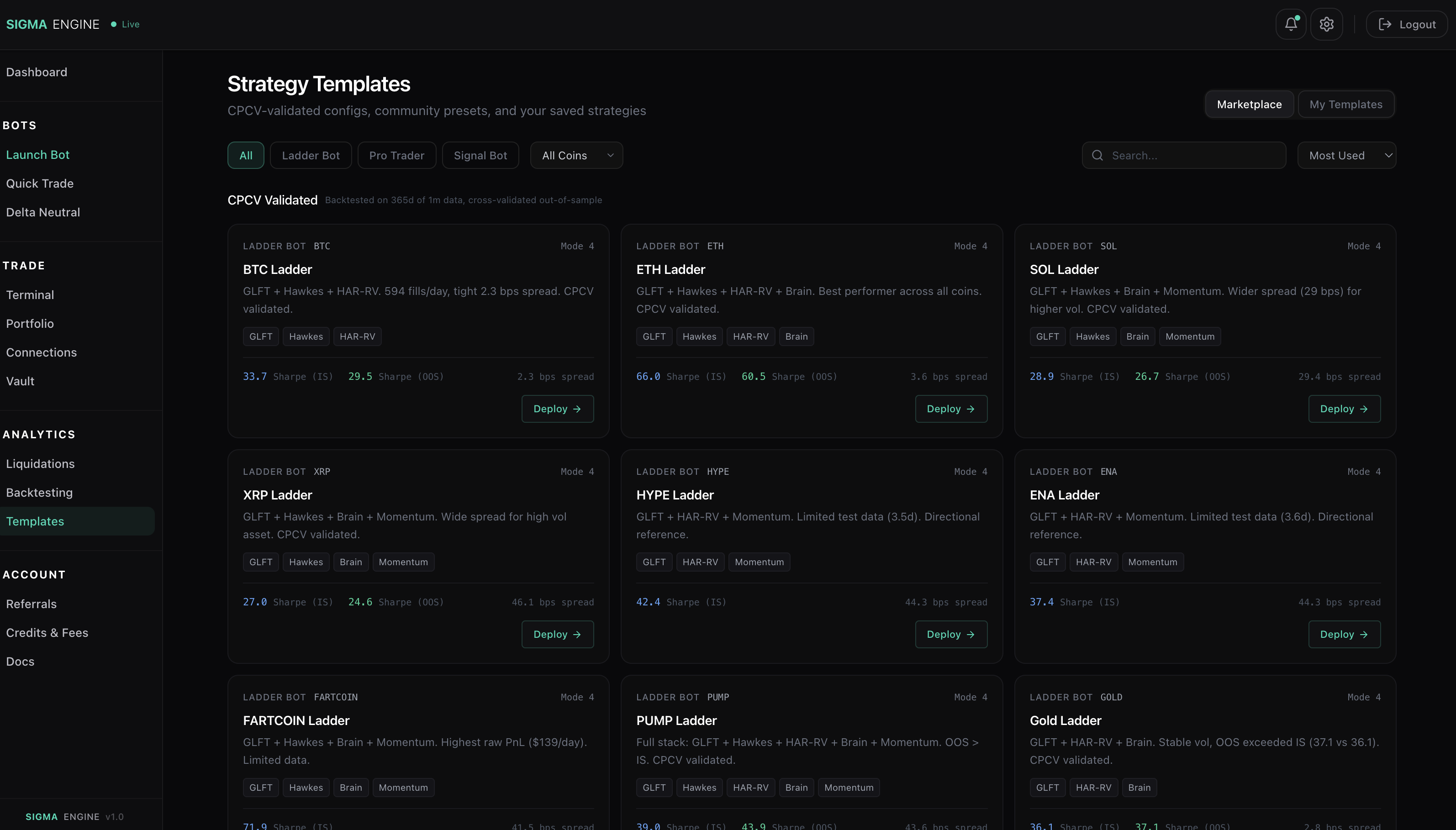
These are configs we ran through Combinatorial Purged Cross-Validation (CPCV) on 365 days of 1-minute candle data. Each config was tested across multiple out-of-sample folds to confirm performance isn't overfit.
Every preset shows:
- Bot type - Ladder Bot, Pro Trader, or Signal Bot
- Coin - which market the config was tested on
- Mode - which ladder mode (1-5) performed best
- Flags - which alpha settings are enabled (GLFT, Hawkes, HAR-RV, Brain, Momentum)
- Sharpe (IS) - in-sample Sharpe ratio from the backtest
- Sharpe (OOS) - out-of-sample Sharpe ratio from CPCV (the number that matters)
- Spread - the effective spread the backtest settled on
Click Deploy to load the config directly into the Strategy Builder with all fields pre-filled. You still choose your exchange and order size before starting.
Filter by bot type using the tabs (Ladder Bot, Pro Trader, Signal Bot) and by coin using the dropdown.
Community Templates
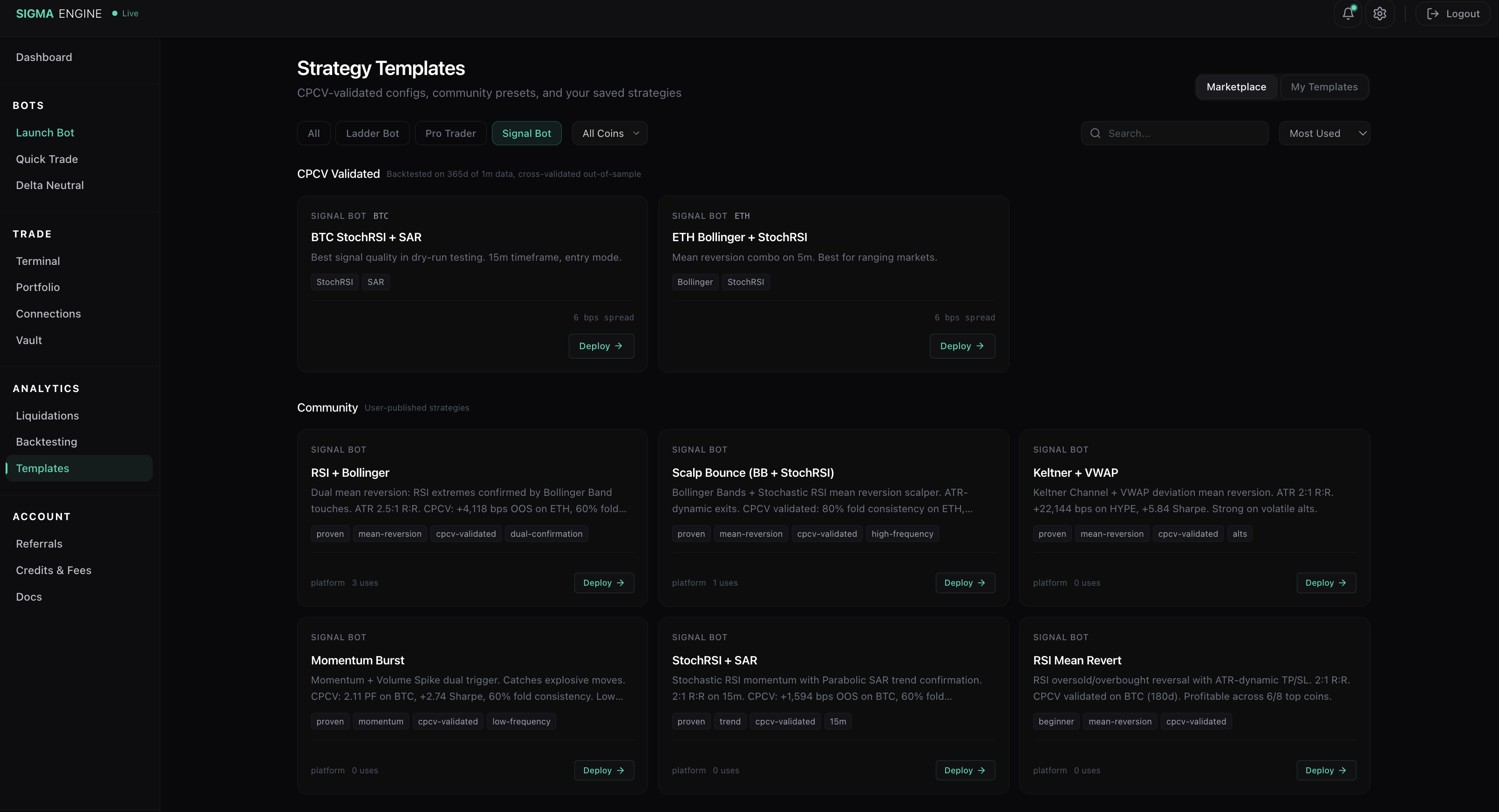
Users can publish their own strategies to the marketplace. Community templates show:
- Strategy name and description from the creator
- Tags - categories like mean-reversion, momentum, cpcv-validated
- Usage count - how many users have deployed it
- Deploy button to load it into the Strategy Builder
Community templates are published for free. Creators earn $0.50 per use (platform-funded, not charged to the user deploying it).
My Templates
Switch to the My Templates tab to see configs you've saved from the Strategy Builder. These are private by default. You can publish any of your templates to the community marketplace if you want to share it.
How Templates Work
Templates are starting points, not locked configs. When you click Deploy:
- The template's settings load into the Strategy Builder
- You can adjust any parameter before starting
- You choose your exchange and order size
- Click Start to launch
The template doesn't run anything automatically. It just pre-fills the Strategy Builder so you don't have to configure every setting from scratch.