Ladder Bot
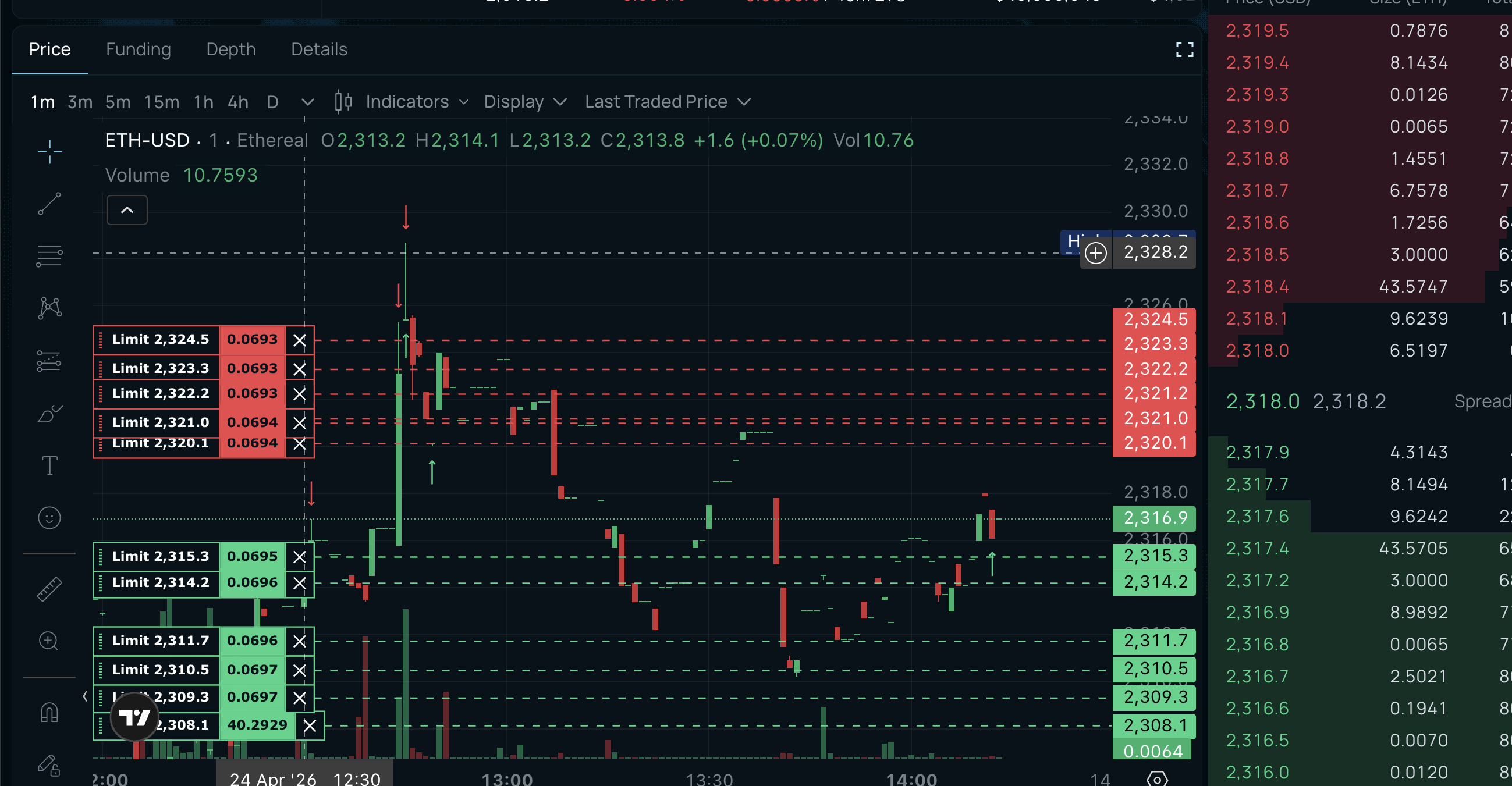
The Ladder Bot places multiple buy and sell orders spread across a price range around the current market price. When one side fills, the bot profits from the spread. As price moves, orders automatically reposition to stay competitive.
Quick Start
- Connect your exchange
- Pick a coin
- Set your order size and max inventory
- Click Start
The default mode (Auto Grid) handles everything else — spread calculation, inventory management, and order placement are all automatic.
Modes
Each mode adds more intelligence. Start with Auto Grid and move up as you get comfortable.
| Mode | What it does | Who it's for |
|---|---|---|
| Auto Grid | Automatic spread + inventory skew via GLFT math. Zero config needed. | Everyone — recommended default |
| Simple Grid | Symmetric grid with Avellaneda-Stoikov pricing. No signals, pure math. | Users who want manual control without directional bias |
| Standard | 2-tier requoting — inner orders chase small moves, outer orders catch wicks. | Users who want tiered order management |
| Directional | Leans into market direction using signals, C++ orderbook, and flow analysis. | Experienced users with calibrated signals |
| Fast | Same as Directional but updates orders faster. | Volatile coins, memecoins, volume farming |
GLFT pricing is available as an option on any mode — it replaces Avellaneda-Stoikov as the spread calculator while keeping all other mode features active.
Key Concepts
- Levels — Number of orders per side. 6-8 is recommended. More levels = more spread coverage but more capital needed.
- Spacing — Distance between each level in basis points. 5-6bps is a good default.
- Spread — How far your closest order sits from mid price. Auto Grid calculates this for you.
- Max inventory — Your maximum position before the bot stops adding and focuses on exiting.
- Requoting — When price moves past a threshold, the bot cancels and replaces stale orders at better prices.
For advanced settings and parameter tuning, see Advanced Settings.