Auto Grid
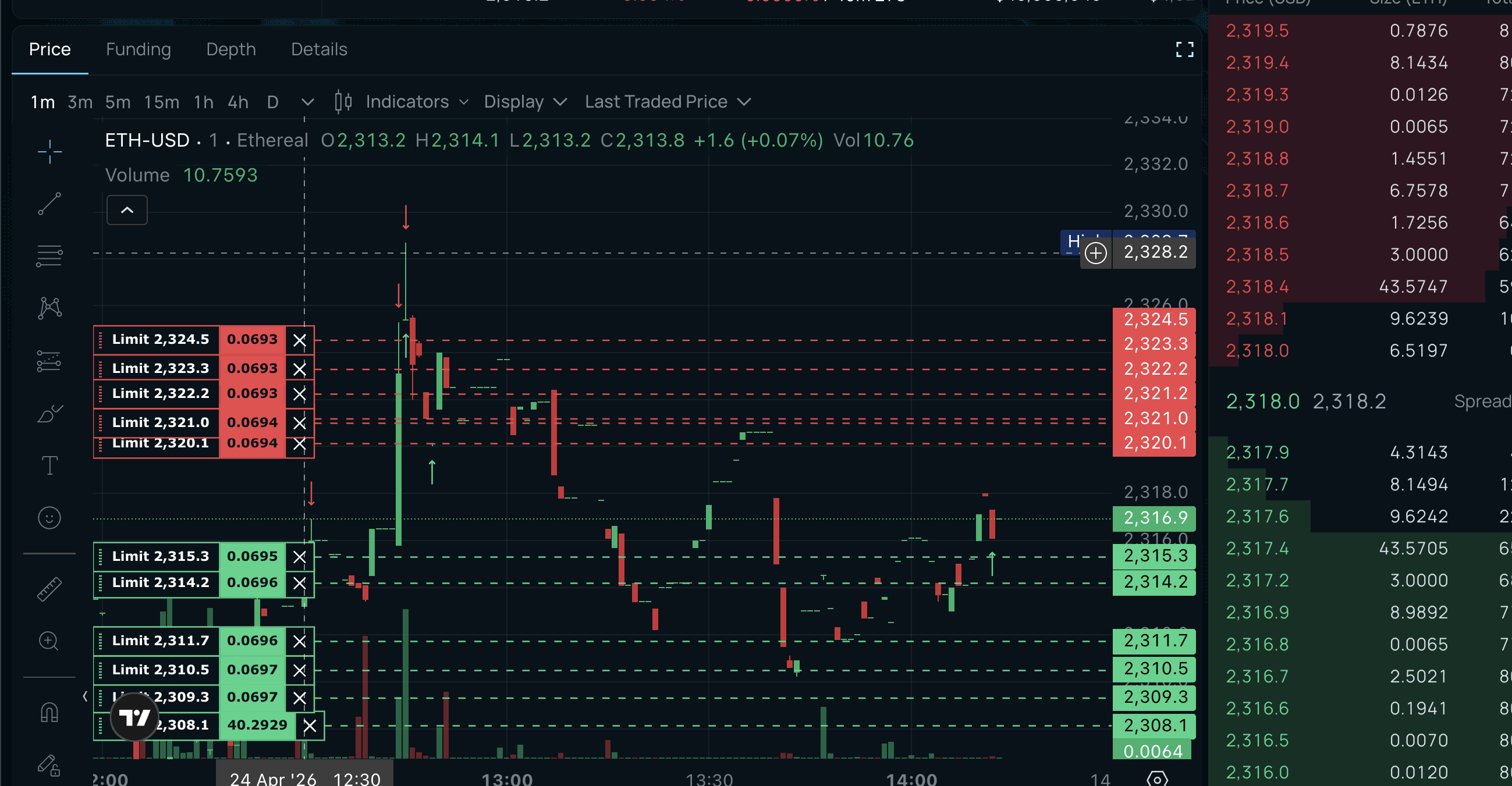
The default mode. Places buy and sell orders at even intervals around the current price. Spread and inventory skew are calculated automatically — you just pick your size and go.
How it works
The bot uses GLFT (Guéant-Lehalle-Fernandez-Tapia) math to price orders. Instead of you picking a spread, the model calculates the optimal distance from mid price based on three inputs:
- γ (risk aversion) — How aggressively the grid skews away from accumulated inventory. Higher = faster exits when holding a position.
- κ (fill intensity) — Controls base spread width. Higher κ = tighter spread = more fills but less profit per fill.
- σ (volatility) — Adapts in real time. When the market is volatile, spread widens automatically. When it calms, spread tightens.
You don't need to set any of these — they're tuned per market automatically.
What you configure
| Setting | Default | Notes |
|---|---|---|
| Levels | 6 | 6-8 recommended. Each level is a buy + sell order pair. |
| Spacing | 5 bps | Distance between levels. 5-6bps is optimal from backtests. |
| Order size | — | USD per level. Set based on your capital. |
| Max inventory | — | Maximum position before the bot enters exit-only mode. |
Everything else is handled by the GLFT model.
Inventory protection
As you accumulate a position, the grid center shifts against your inventory. At zero position the grid is symmetric. As inventory grows toward your cap, orders skew harder toward exit. By the cap, the bot is aggressively flattening.
This prevents sitting on the wrong side of a trend indefinitely.
When to use
Any market, any asset class. Crypto, commodities, equities, FX. This mode was backtested across 18 cryptocurrencies, 8 commodities, and 10 stocks using one year of minute-by-minute data. Every configuration that consistently made money shared three properties: symmetric placement, inventory-aware pricing, and volatility-adaptive spreads. Auto Grid combines all three.
When it struggles
Sustained one-direction trends. The grid accumulates inventory against the trend and the skew math works to unwind it, but returns are muted during these periods. If you have a directional view, use Directional mode instead.
GLFT on other modes
GLFT pricing is not exclusive to Auto Grid. You can enable it on Standard, Directional, or Fast modes — it replaces Avellaneda-Stoikov as the spread calculator while keeping all other features (signals, direction awareness, flow analysis) active. Toggle it in Advanced Settings.