Stopping Bots and Closing Positions
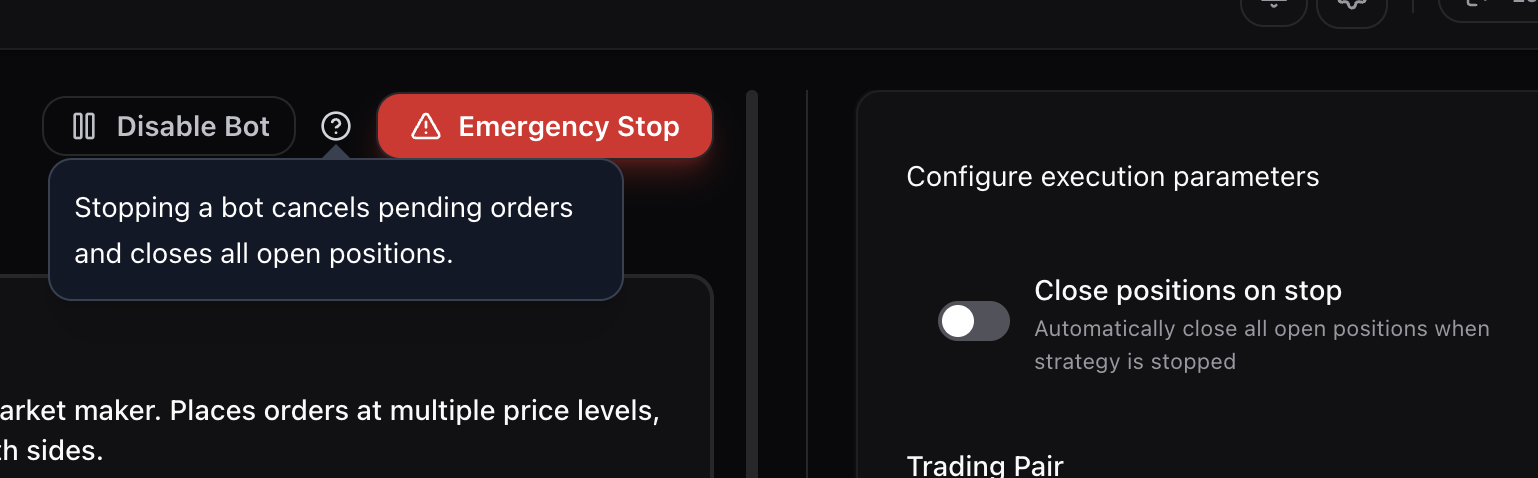
Stopping a Single Bot
From the Strategy Builder page, click Stop Bot at the top. This stops the bot process and cancels all its pending orders. If you enabled Close positions on stop before starting the bot, it will also close any open positions automatically.
If you did not enable that setting, the bot stops but your position remains open on the exchange. You will need to close it manually.
Close Positions on Stop
This toggle is on the Strategy Builder page under execution parameters. Enable it before starting a bot, not after. When active, stopping the bot will automatically close all open positions for that market.
If you forget to enable it before starting, you can still close positions manually from the Terminal (click Close on the position) or directly on the exchange.
Disable Bot
Clicking Disable Bot prevents any new bots from being launched on your account. Existing running bots are not affected. Use this when you want to make sure nothing new starts while you sort out an issue.
Emergency Stop
The red Emergency Stop button kills all running bot processes on your account immediately. All pending orders are cancelled. This is the fastest way to shut everything down.
Emergency Stop does not close open positions unless each bot had Close positions on stop enabled when it was started. If your bots were running without that setting, you will still have open positions on the exchange after the emergency stop.
Best Practices
- Always enable Close positions on stop before launching a bot unless you specifically want positions to stay open after stopping
- Set a stop loss on every bot as a safety net. If the bot crashes, disconnects, or the API goes down, the exchange-level stop loss still fires
- For additional protection, set a stop loss directly on the exchange as a secondary fail-safe. Exchange-level stop losses execute even if Sigma Engine is completely offline
- If you need to close a position and the bot has already been stopped, go to the Terminal, find the position, and click Close. Or log into the exchange directly and close from there
If a Position Won't Close From the Terminal
Go directly to the exchange's website and close the position there. Every exchange has its own trading interface where you can close positions manually. This always works regardless of what Sigma Engine is doing.